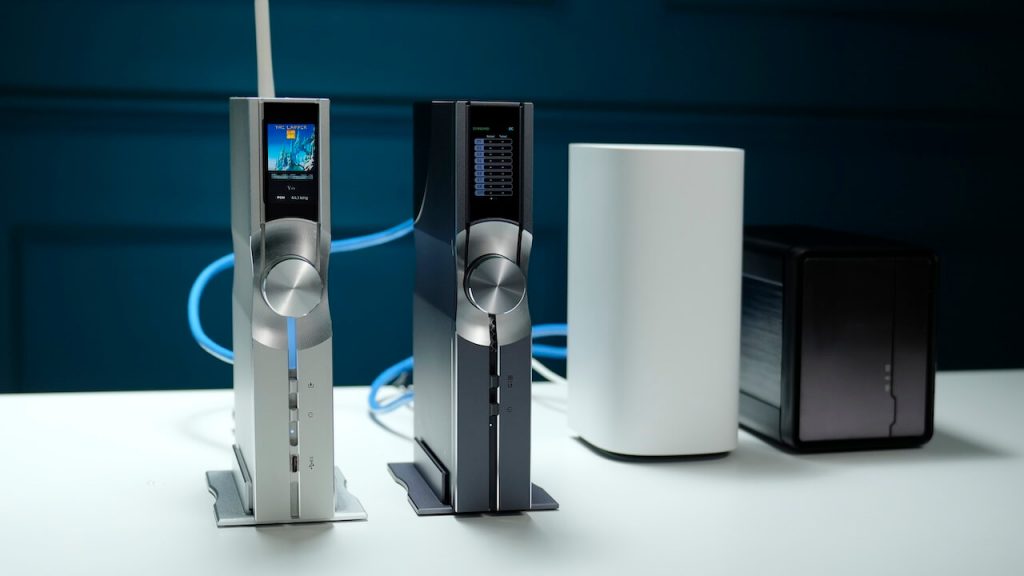
The Honestech nScreen Deluxe connects to your TV via the HDMI cable and to your PC through a wireless network connection.
While this Wi-Fi connection offers a level of flexibility and range, it does come with a downside. You need to connect to the nScreen Deluxe's wireless network rather than your standard home wireless network.
Read more...
Ultrabooks and other slim laptops are great productivity partners, but many are short on ports for connecting to peripherals when at a desk, and they don't have the proprietary docking-station options that business laptops do. If your laptop's new enough to have a USB 3.0 port, Targus has an answer: The lengthily named USB 3.0 SuperSpeed Dual Video Docking Station with Power ($249.99 list) plugs in to provide access to one or two external monitors, audio, Gigabit Ethernet, and up to half a dozen USB peripherals, all thanks to the bandwidth of one USB 3.0 cable. It also takes care of recharging your laptop so there's only one AC adapter or power brick on or under your desk (the docking station's) instead of two (the station's plus your portable's). When it's time to leave or return to your office, there are just a couple of cables to detach or attachthe USB and power cables. Based on DisplayLink's popular USB-to-video technology, the USB 3.0 Docking Station works, although setup wasn't as simple as advertised and the provided USB and power cables are a little short. If you don't mind using two AC adapters, a version without power is available for $199.99.
To connect to mobile 4G hotspots, you no longer need teams of road warriors playing musical chairs. Priced at an affordable $49.99 (with a two-year contract), the Verizon Jetpack 4G LTE Mobile Hotspot MiFi 4620L by Novatel Wireless delivers blistering speeds and can connect up to 10 devices simultaneously. But with other carriers ramping up their 4G networks, is the 4620L worth the two-year investment?
Read more...
TorVPN is a Virtual Private Network service that allows users to hide their own IP address and encrypt their network activity. Part of the Tor family of products—it’s available from the tor.hu Website—the goal is to provide a secure VPN service for users looking for a way to anonymize their activity online. Despite the name, TorVPN does not appear to be part of the official Tor Project.Like many other VPN services such as AnchorFree’s HotSpot Shield Elite and Private WiFi from Private Communications, TorVPN is based on the open source OpenVPN software. By installing OpenVPN and signing up for TorVPN servicer, users get all of the following: OpenVPN and PPTP VPN servers to encrypt all network traffic leaving the computer, an SSH server to establish secure connection with other servers, a SOCKS proxy to use the browser to establish a VPN connection, and a Tor proxy to connect to other Tor relays. Users can also create a direct peer-to-peer connection over a VPN tunnel.TorVPN can run on any platform that can run OpenVPN, including Mac OS X, Linux, iOS, and Android. There are several guides available on the TorVPN site for using the built-in PPTP protocol on Windows systems, but the documentation recommends OpenVPN for better compatibility and security. There are also instructions for using Tunnelblick, an OpenVPN implementation for the Mac OS X and iOS.TorVPN Features
Users connecting to the TorVPN service get a brand-new IP address to mask their original location. Anyone trying to look up the address gets the IP address and location of the service in Hungary. All the traffic passing through the tunnel is encrypted using OpenVPN.TorVPN is available for free for up to one GB. Users who expect to use up more than one GB of network traffic need to pay for a plan with higher traffic caps. The caps are measured separately for sending and receiving data, and kick in when either one hits the quota. The cheapest paid account is for five GB a month for three Euros ($3.95); rates can go up to 100 GB for 30 Euros ($40).Paying customers can have up to three VPN accounts, increase their traffic quota, and have unlimited access to certain classes of websites, such as social networking and file sharing, and get a different IP address assigned. The tiers also offer unlimited access to certain types of sites. For example, paying for “Social” (three Euros) gives users on TorVPN unlimited access to Facebook, Twitter, Google, and Gmail, on top of their traffic quota. The “Data” tier provides unlimited access to file hosting providers Rapidshare and Hotfile, as well as Hungarian storage provider Data.hu.The distinction between “Social” sites and “data” sites is a little confusing. When I am surfing the Web, I don't track whether I’ve checked Gmail and Twitter, or if I was browsing other sites.Unlike other VPN services, such as Hotspot Shield or PrivateWiFi, I didn’t see a way to get a quick feedback on how much traffic I’ve sent and received on the tunnel, making it harder to track my usage.For this review, I looked at the free service, which gives me one VPN account, a traffic quota of just one GB over a month, with filters that block access to “high-risk sites” such as eBay, Paypal, and other SMTP services.Like other VPN servers, TorVPN collects user statistics to know the amount of data being transferred (used towards determining traffic quotas) but promises no logging or monitoring. The statistics are also used to detect instances of abuse, such as if someone was flooding a server in a denial of service attack using the service.Getting Started
I selected a username and a password on the TorVPN Website. A valid email address is required to validate the account. Once I had an account, I downloaded an OpenVPN installer (a link is provided on the page) and set up the software on a Windows 7 laptop. The site links to several guides and step-by-step instructions for setting up the VPN client on other platforms, including Mac OS X, Linux, Android, and iOS. After completing the OpenVPN installation, I downloaded a configuration file from my account page on the TorVPN Website and saved it inside OpenVPN’s config directory on my computer.I started the OpenVPN client as an administrator and was prompted with a password dialog box. I entered the username and password I had created, and I was immediately connected to the VPN tunnel. When I checked my IP address, I found out that I had been assigned one in Hungary. The reverse DNS for my new IP address was vpn.torvpn.com.According to the TorVPN documentation, I have to use the “run as an Administrator” option for the OpenVPN client in order to let the TorVPN configuration file change the routing settings.
Read more...
Most new routers such as the D-Link DHP-1565 announce that they're going to expand your home network via the wonders of the 802.11n or Wireless N protocol, which enables a much faster, reliable and stronger - and therefore wider reaching - wireless signal.
Wireless N still has a few problems, though. To begin with, if your devices aren't Wireless N compatible, like this router, a USB adaptor is needed. If an adaptor isn't available then you're not going to get the most from 802.11n.
Read more...
The Trendnet TEW-692GR Dual Band Wireless Router is a small and unobtrusive device that comes with three antennae to deliver a stronger - and wider - wireless signal.
At the back are four Gigabit Ethernet ports and a WAN port for connecting your modem. The lack of a built-in modem means that you're going to have to sit this alongside your existing one. This isn't too much of a show stopper as, we've already mentioned, the TEW-692GR is small, but considering you can get integrated modem routers for around the same price, it's quite a big omission.
Read more...
WiFi frequency - Dual-band 2.4GHz and 5GHz
Ports - 4x Gigabit ethernet, 2x USB 2.0
Read more...Though we're supposed to be living in the age of cloud computing, most us still have piles of DVD movies we simply can't play on smartphones or tablets. Enter the Samsung Optical SmartHub SE-208BW, a wireless DVD burner that allows any Android, iOS or Windows device to play discs, browse files, or gain access to a USB-connected storage drive, all over a standard Wi-Fi connection. Though the SmartHub Optical offers a lot of features, inconsistent video quality and a complicated setup process make this $130 device a tough sell.
Read more...
The dedicated media streamer has thus far been a niche product, but that's changing fast. With the latest Apple TV embracing 1080p streaming for the first time, consider the ante well and truly upped in the world of media streamers.
The new Popcorn Hour C-300's maker Syabas is a regular class leader, priced at £340 in the UK and $350 in the US.
Read more...Spend just $100 and get a year of free 4G service? That's the deal being offered by NetZero with its new $99 4G HotSpot. But is this a cost-effective, portable solution for laptop and tablet users who don't want to rely on free Wi-Fi at Starbucks, or a clever marketing gimmick? Read on to see how this hotspot's performance, coverage and data plans compete with the big carriers.
Read more...
The D-Link Network Video Recorder DNR-322L is a NAS (network attached storage) device specifically for recording network video.
Although it works with other brands, it's best used with D-Link's own cameras (like the DCS-942L) via the mydlink service.
Read more...A well-designed and easy-to-use router, the $200 Cisco Linksys E4200v2 is an improved version of our Editor's Choice from last year. As a dual-band router, the E4200v2 lets you access either the 2.4-GHz or 5-GHz band, and hums along without any speed bumps. The E4200v2 also supports the new IPv6 standard, has a USB port and four Gigabit ports. Plus, Cisco throws in mobile apps that let you configure parental controls. Is this still the best dual-band router? Read on to find out.
Read more...
Good things come in small, and well-designed, packages. The Netgear N900 Wireless Dual Band Gigabit Router WNDR4500 ($180) is easy to configure and offers a Web-based setup you can run on an iPad. This premium router also scored highest on our speed test, and still connected over the 2.4GHz band from more than 1,000 feet away. In other words, Netgear has raised the bar.
Read more...You might need to check the price on the EnGenius XtraRange ESR600H router a few times. This device has dual-band (2.4GHz and 5.0GHz) wireless support, a small footprint, excellent throughput and a handy USB port for your external hard disk. Better yet, it costs just $129, significantly less than competing routers with the same features. Is this router the bargain that it seems?
Read more...
Forget boring old routers from a bygone era. The D-Link Whole Home Router 1000 DIR-645 ($89) has one of the most unusual designs we've seen in years. Shaped like a cylinder, this value-priced router stands out in the crowd with large, easily accessible buttons on the front. Yet, the cylinder shape is more than just eye candy, as it helps eliminate dead spots for home- or office-wide coverage.
Read more...