Kaleidescape, once deemed a “rich man’s toy,” has been making in-roads lately with products priced within reach of those with more reasonable means. With its most affordable movie player priced at $1,995, Kaleidescape is still not “cheap” by any means. But considering the price of entry just three years ago was over $10,000 for a basic player and server, we’re definitely seeing progress.
For those unfamiliar, Kaleidescape is a platform for movie lovers who want to experience films in their highest possible audio and video quality, without the need for massive disc collections taking up an entire wall in your home. With bit rates higher than the highest quality physical media, 4K resolution with Dolby Vision HDR and lossless Dolby Atmos and DTS:X surround, Kaleidescape offers an uncompromising viewing and listening experience combined with the convenience of digital downloads. As Our Editor in Chief Ian White puts it, Kaleidescape is for ‘people who understand that “good enough” is usually neither.’
Although I’ve seen Kaleidescape in action for years at events like CEDIA, CES and the TV Shootout, my first direct experience with Kaleidescape, from a reviewing experience, was with their Strato V player ($4,499). It’s a 4K movie player with nearly a terabyte of on-board storage. That’s room for about ten or eleven 4K movies. I was fairly blown away by the quality and convenience, though the user interface was a less robust version of their best-in-breed menu system. The standard Kaleidescape interface allows owners to easily browse through large collections of films, with associations made by genre, cast, director and other meta data.
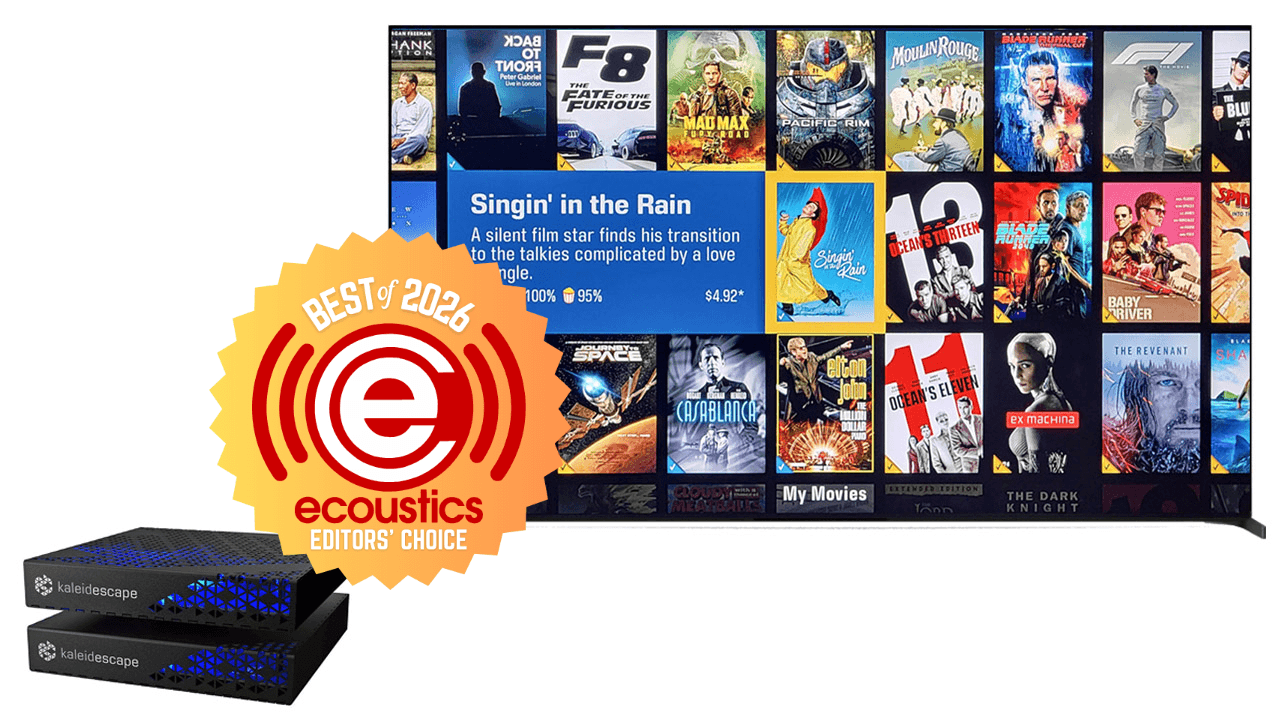
With only 5 to 10 movies on a player, the full user interface is overkill, so the system defaults to a simpler navigation experience if you are only using a standalone player, with no external servers. This time around, I requested the Strato E player ($2,995) with one of the company’s movie servers, the 8 TB Mini Terra Prime ($9,995), so I could enjoy the full Kaleidescape user experience.
As an aside, I should mention that the launch price of the Mini Terra Prime last year was $5,995 but AI has driven the costs of chips and solid state storage significantly, leading to that 67% price increase. Kaleidescape also offers a 6 TB Compact Terra Prime server for $4,995 which uses traditional hard drives for storage. All of Kaleidescape’s servers are industrial quality and all maintain the secure digital ecosystem that is required by the studios in order to do business. Unfortunately you can’t just load up on standard disc drives to house your growing movie collection; you need to keep it all in brand.
What Is It?
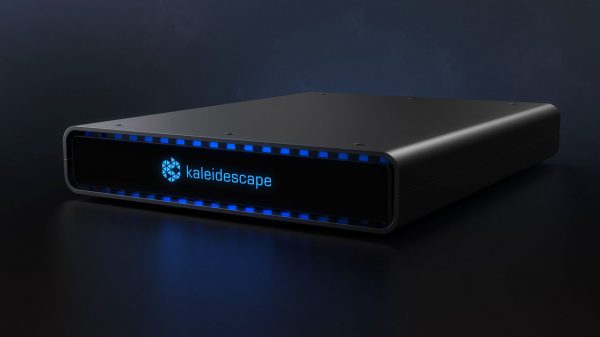
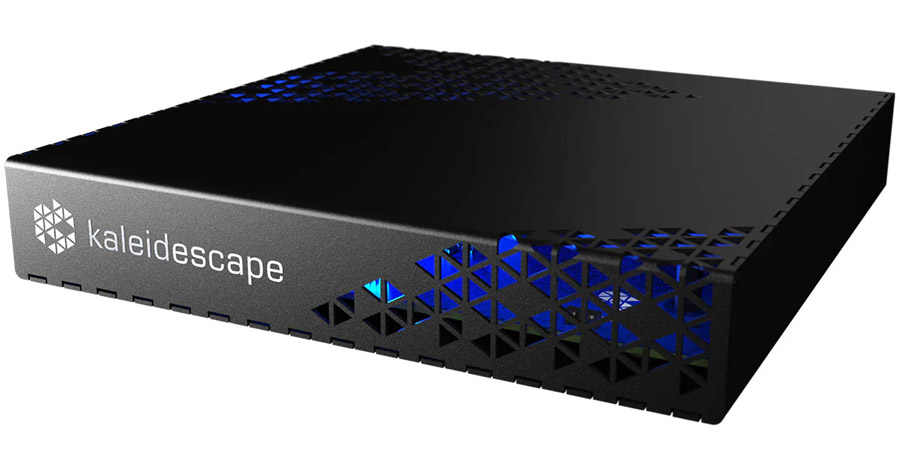
The Kaleidescape Strato E is a 4K media player with Dolby Vision and HDR10 HDR, as well as lossless audio support including Dolby Atmos, Dolby TrueHD, DTS:X, DTS-HD Master Audio and multi-channel PCM decoding. The player has half a terabyte of on-board storage, enough for roughly five or six 4K movies, as well as the option to play videos from a Kaleidescape server within your local network.
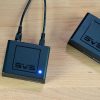
At $2,995, The Strato E is currently the most affordable 4K-capable Kaleidescape player. The company offers a more affordable player, with the same form factor and storage (Strato M), for $1,995 but that player is limited to 1080p resolution. The Strato E sports a compact form factor, measuring in at just 6.4 x 1.1 x 6.4 inches (16.3 cm × 3 cm × 16.3 cm). It weighs 1.6 pounds (0.73 kg) and is designed for residential and marine systems, featuring a black, perforated steel casing for passive cooling. It can sit on a shelf or be rack-mounted via optional rack mount attachments. Just be sure to leave a little bit of space (a couple of inches) in front of and behind the unit for air flow.
Like the rest of Kaleidescape’s players, the Strato E lacks WiFi, requiring a hard-wired network connection for movie downloads or connection to a local Kaleidescape server. No connection is required to play movies once they have been downloaded to the unit’s on-board storage. It’s also possible to link a single player directly to a single movie server for a more portable solution you can bring to a second home, without having to establish a whole home network. Of course, this sort of temporary set-up suspends the ability to download any new content from the Kaleidescape store.
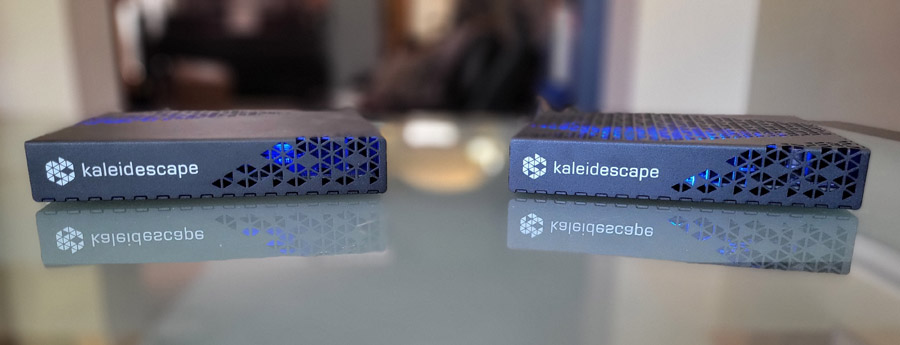
The Kaleidescape Mini Terra Prime ($9,995) is a media server with 8 terabytes (TB) of solid state storage on-board. This is enough for approximately 125 movies. It requires a hard-wired network connection to your home network and out to the internet to download movies from the Kaleidescape store. Kaleidescape recommends a 2.5 GB network connection, though 1 GB (gigabit) network connectivity is also supported. Like the Strato E, the Mini Terra Prime features a compact chassis, 6.4 x 1.1 x 6.4 inches (16.3 x 3 x 16.3 cm) and weighs 1.7 pounds (0.77 kg).
Like the Strato E, the Mini Terra Prime is fanless, designed for completely silent operation. Both the player and the server feature an on-board temperature sensor which can be viewed in the browser-based Kaleidecape admin interface. During my review, neither the player nor the server became appreciably hot, though they did both run slightly warm to the touch.

The Set-Up
Adding the new Strato E player to my system required activation of the player. If it’s your first player, you’ll need to create a Kaleidescape account so you can start building your library. But first you’ll need to plug the player into power, plug in a hard-wired ethernet cable connected to your home network, and plug in the player’s one HDMI output to your TV or projector. But how exactly do you turn the thing on? Use the remote! Oh, wait: there isn’t one!
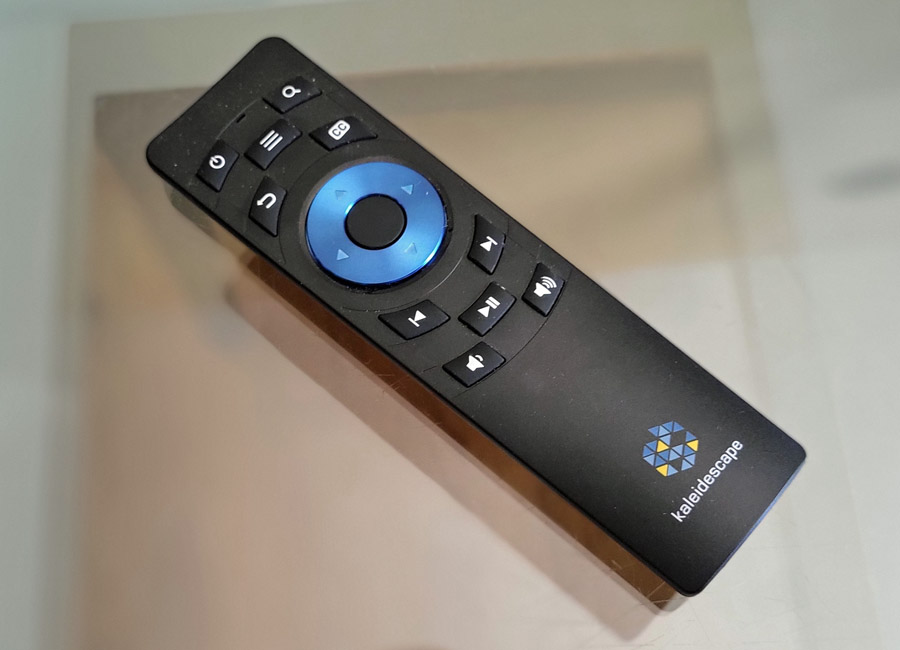
The Kaleidescape folks tell me that most of their customers never used the remote control they previously included in the box with each player as their players are typically tied into a control system like Control 4 or Crestron. So they stopped putting a remote in the box. Personally, I think a $3,000 media player should come with a remote, but maybe that’s just me? You can either purchase the Kaleidescape remote as a $50 accessory, or you can use the Kaleidescape app for iOS or Android to control playback and access the menus. I used the app, but I also had one of the remotes from an earlier review.
What does come in the box is a fancy ultra high speed HDMI cable from THX, designed by Pixelgen. There are some cable makers out there who charge ridiculous prices for cables of questionable quality. This is not one of them. The THX Ultra High Speed HDMI cable sells for under $50 for a 1.5-meter length, and it was more than up to the task of delivering the 4K Dolby Vision signal with lossless immersive audio all day long. It was a nice touch that Kaleidescape included one in the box so I didn’t have to worry about the provenance (or the bandwidth) of whatever questionable old HDMI cable I had lying around. Kaleidescape also includes a network cable for connection of the player to your home network.
Once the activation and set-up process completed, I had access to the Kaleidescape movie store to start building a library. Kaleidescape was kind enough to load a few movies into the test account and gave me a store credit to explore the full download, rental and purchase operation.
I tested the Strato E player on its own at first. With about half a terabyte of on-board storage, the Strato E can store five or six 4K movies, depending on length. When you want to watch something new, you can simply download the new title and the player will automatically delete an older title if it needs to make room. All purchased movies reside in the cloud and can be downloaded at any time.
Movies and TV series on Kaleidscape are available either to rent or to purchase at prices comparable to other digital movie stores like iTunes and Amazon Prime Video, but generally in higher quality than either of those services. Because Kaleidecape is a download service (not a streaming service), they can offer higher quality digital files, without the risk of buffering or internet slowdowns impacting video and audio quality as it does with streaming. Kaleidescape recommends a 1 GB internet connection or higher. Over a 1GB connection, you can download a full 4K movie with Dolby Vision HDR and lossless immersive sound like Dolby Atmos or DTS-X in about 8-10 minutes.
As Good as Physical Media (or Better)?
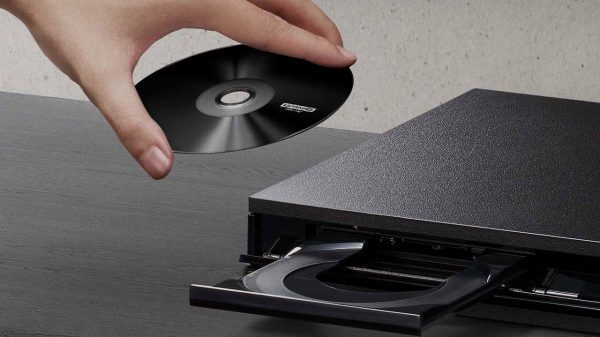
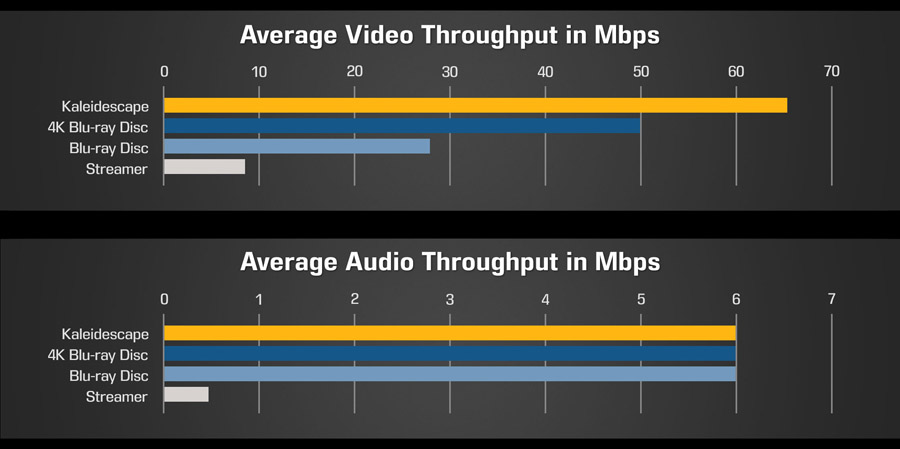
Kaleidescape file size averages around 100 GB, but can be significantly higher for longer movies or a bit smaller for shorter ones. Meanwhile most 4K UHD Blu-ray Discs are capped at 66 GB due to the size limit of a dual-layer UHD Blu-ray Disc. Some longer movies are delivered on triple layer UHD Discs which can store up to 100 GB, but these are the exception, not the rule. The larger file size of a Kaleidscape file means that they can use less compression, and this leads to better overall picture quality.
Am I Gonna Have to Buy All My Movies Again?
While the hardware has gotten more affordable over time, Kaleidscape is still a proprietary closed ecosystem, so anything you want to watch on Kaleidedcape needs to be purchased or rented from the Kaleidescape store. And if you want to build a large library of digital movies, this can get pricey. Fortunately, for those who already have an extensive movie collection, Kaleidecape offers a “Disc to Digital” system which allows you to buy digital copies of movies you already own on DVD or Blu-ray Disc at a discount.
To take advantage of this, you will need a USB/Blu-ray Disc Drive. Kaleidescape recommends using a drive with external power (not USB-powered) and even recommends a few compatible drives. But these models are all discontinued. I found success with a slim Samsung SE-506 Blu-ray Writer, which is powered by the USB cable.
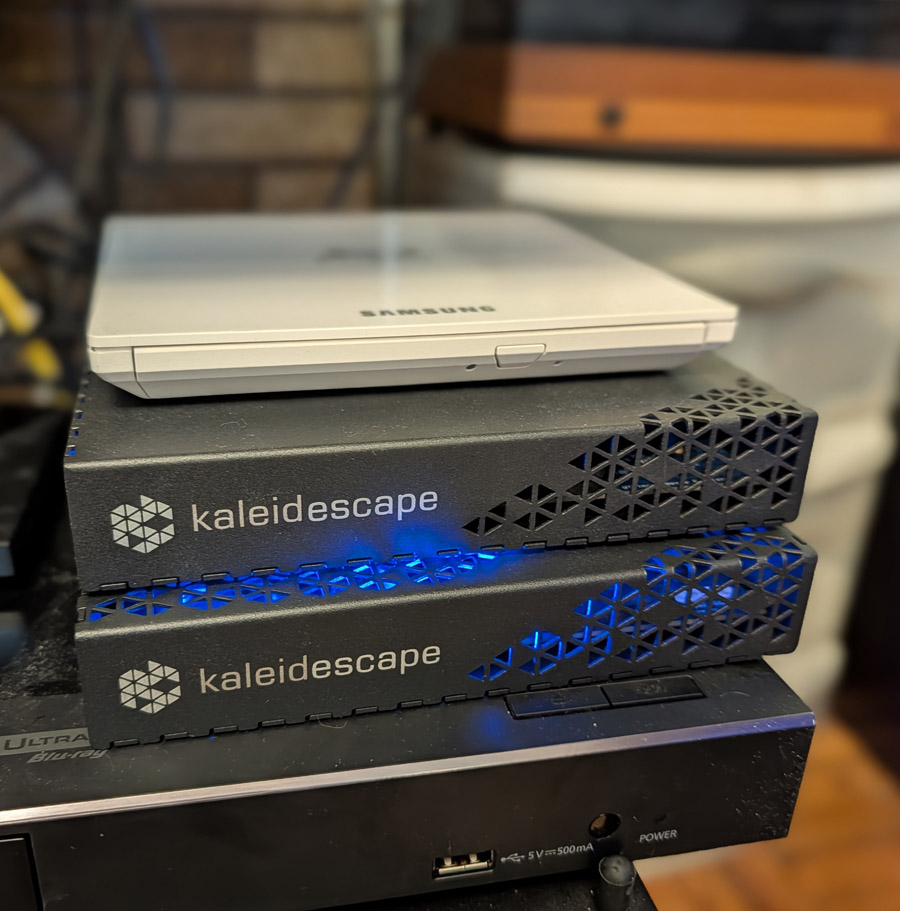
You simply connect the drive to the USB port on the back of a Strato movie player, make sure the player is powered on, insert a DVD or Blu-ray Disc into the drive and the Kaleidescape system will catalog the disc in a matter of seconds. Once the title is cataloged, the system will then notify you in the Kaleidescape store of a “Disc to Digital” offer. Click that link or search the store for the title you just scanned and you should see the discount applied. Note that it sometimes takes several minutes after the scan is completed for the Disc to Digital offer to show up in the store, so be patient.
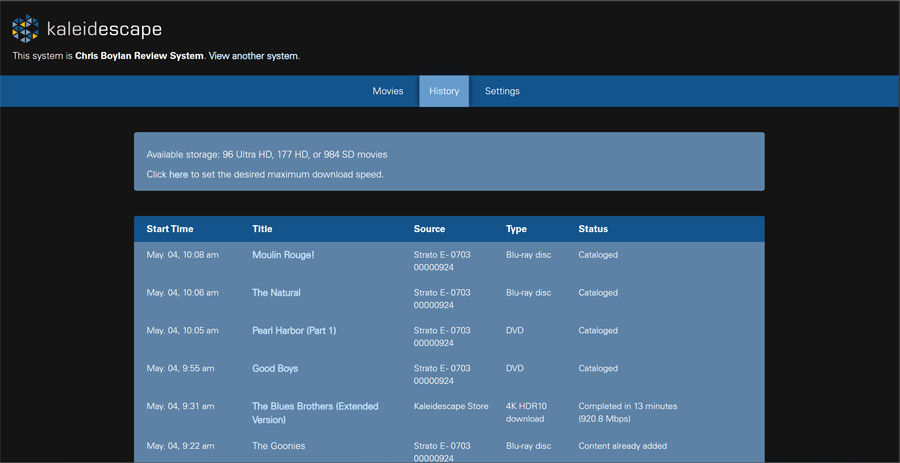
For the titles I tested, the Disc to Digital discount varied from a couple of dollars off to more than $20 off. “The Goonies” normally sells for $24.99 on Kaleidescape, but after scanning my Blu-ray, the price of the 4K version dropped to $4.92. If you scan a DVD, you’ll also get a lower price, but you will pay a bit more than if you already own and scan the Blu-ray version (which makes sense).

In many cases, the price of a 4K upgrade on Kaleidescape was $8.59 if I owned and scanned the DVD, but $4.92 if I scanned the Blu-ray. Kaleidescape doesn’t officially support scans of 4K/UHD titles, but some owners report that their Blu-ray Drives can scan 4K Discs just like Blu-ray Discs. In any case, most UHD Blu-ray Discs come with a Blu-ray version of the film so you can always scan that if you want to get the disc to digital discount. Sadly, Kaleidescape doesn’t support other digital copy services such as Movies Anywhere or VUDU/Fandango at Home so there’s no way to transfer or get credit for ownership of existing digital copies in the Kaleidescape ecosystem.
And now back to set up…
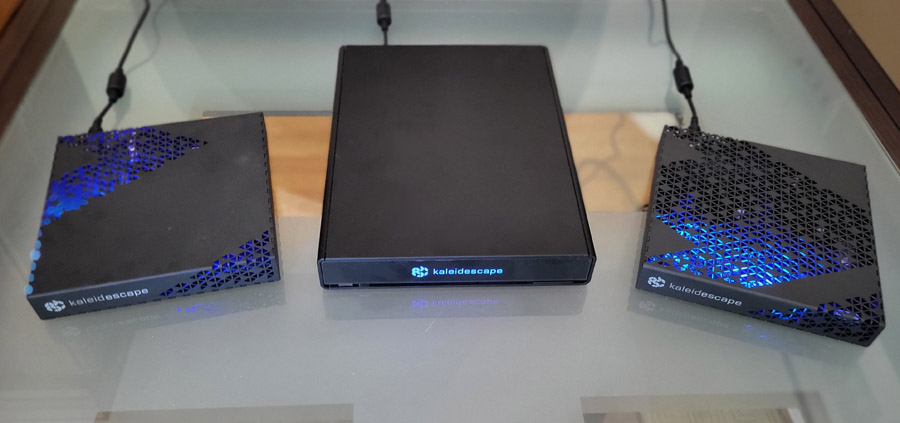
After some time using the Strato E on its own, I added the Mini Terra Prime server to the account so I could start using the full Kaleidescape User Interface. This entailed plugging the Mini Terra Prime into power and into a network cable connected to a network switch. The server comes with a QR code you can scan to get into the admin interface, but you can also just point any web browser to the Kaleidescape system’s IP address (in my case: http://192.168.1.200/) or to its host name http://my-kaleidescape.local and follow the links to add a new component to your current system. Note: these URLs only work if your computer or mobile device is on the same physical network as an existing Kaleidescape system.
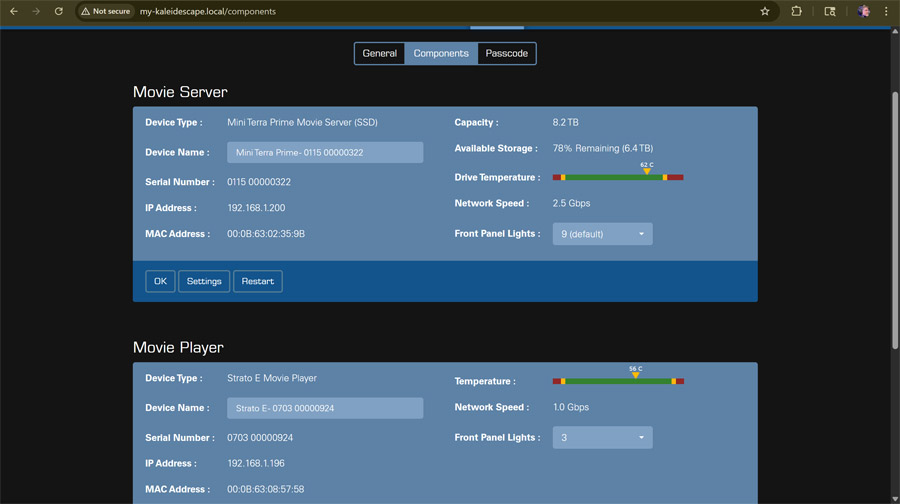
By moving all of the “heavy lifting” of system set-up and configuration to this web-based admin interface, two things happen: a) Kaleidescape can keep the main user interface simple for its end users and b) the system can be administered remotely by a dealer or custom installer, or by a handy DIYer. In the past, most Kaleidescape customers went through custom installation firms for purchase and installation, but with the pricing of the players coming down, tech-savvy hobbyists are now doing this set-up and configuration on their own.
Adding the server was simple but after I did so, that web-based admin interface became inaccessible for about 15 minutes. A Kaleidescape rep told me that this outage is to be expected as the server did an automatic software update once it was added to the system. If you install a player with up to date software, the outage is shorter.
When the system came back online, the server was now added to the system and the movies that had been stored on the player were deleted from its local storage. I had thought maybe the set-up process would move the movies from the player to the server, but it did not. So I went into the movie store and selected these and several other movies from the test account to download to the server. Movie downloads can happen overnight or in the background while you’re watching a different movie. Also, when you pre-order a movie, the system will download it in the background so it becomes available to watch right at its official release date and time.

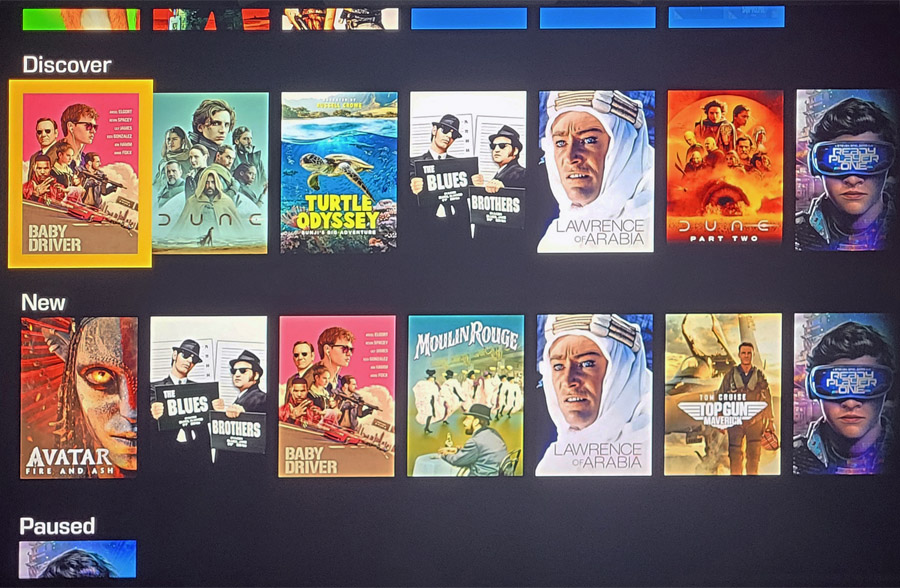
Adding the Server to the system enabled the more powerful “Covers” user interface that Kaleidescape is known for. The title you have selected is automatically surrounded by similar movies you also may like. And with a couple of button presses on the remote or in the remote control section of the mobile app, you can re-arrange the list of recommendations by genre, director or actor. You can set the interface to only show movies you already own or to expand its recommendation out to the Kaleidescape store so you can discover more movies or shows that you might like.
In terms of speed of access, I saw no noticeable delay when playing back titles from the server, compared to using the player’s local storage. I connected the server and player to my home network using a 2.5GB network switch, which is what Kaleidescape recommends. In the admin interface I could see that the Mini Terra Prime server was indeed capable of 2.5 GB network bandwidth, while the Strato E player was capped at 1 GB. This makes sense as the server can deliver movies to multiple players within a home network concurrently. The Mini Terra Prime supports up to 25 concurrent player connections so it needs a “fatter pipe” than the player does. Now all I need is 24 more players, and rooms to put them in, in order to test this.
Throughout the viewing experience, I didn’t experience any buffering nor other sorts of glitches in video or audio playback. I selected a title, hit Play and it started playing within seconds. Most of the titles I watched were available in 4K resolution with HDR10 or Dolby Vision HDR which looked as good as the best 4K UHD Blu-ray Discs I own. In fact, I compared video quality on Kaleidescape with a UHD Blu-ray Disc on several titles, including “Blade Runner: The Final Cut,” “Dune” and “Dune Part Two” and was unable to spot any meaningful differences in image quality.
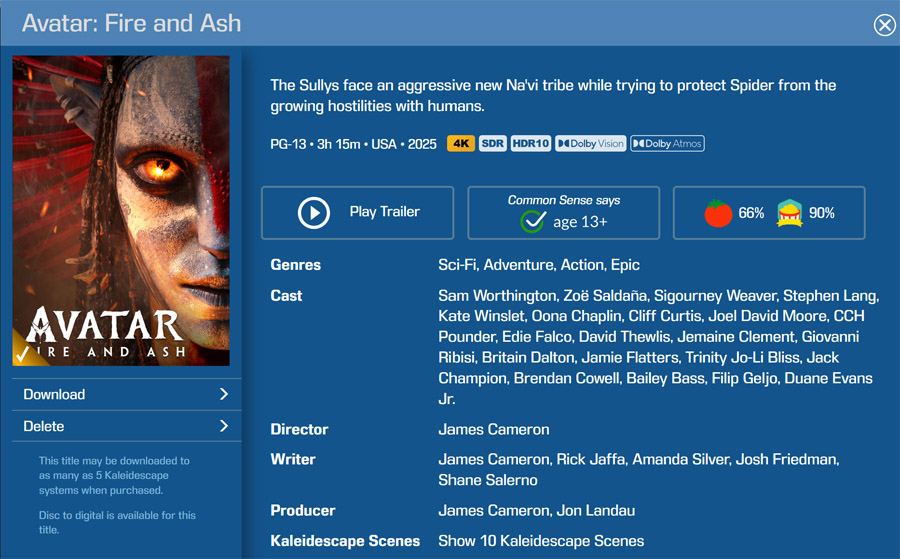
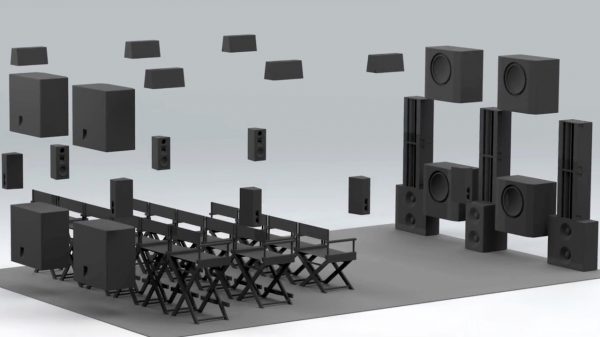
Most of the newer titles I viewed (but not all) were available in Dolby Atmos immersive surround. But this isn’t the same Dolby Atmos from streaming services like Netflix or Apple TV. The Kaleidescape version of Dolby Atmos uses the Dolby True HD lossless surround codec as the transport layer – just like on Blu-ray Disc and UHD Blu-ray – which means you get none of the compression artifacts that can affect the audio over streaming services.
For DTS:X, the story is similar – the transport layer for DTS:X on Kaleidescape is lossless DTS-HD Master Audio, not the lossy DTS:X Profile 2 codec used on streaming services like Disney+ and Sony Pictures Core. The only title I noticed that didn’t quite match the UHD Blu-ray version was “The Blues Brothers” which has a DTS:X soundtrack on UHD Blu-ray but only DTS-HD soundtrack on Kaleidescape. But this may not be true forever. Kaleidescape frequently posts enhanced/updated versions of movies online, usually at no additional charge to customers. It’s the only movie investment that actually gets better over time.
“All those moments will be lost, in time, like tears, in rain.” – Roy Batty (“Blade Runner”)
Scripts and Custom Scenes – Kaleidescape’s Killer Feature?
As a movie lover, I have an extensive collection of movie quotes living rent-free inside my brain. Certain scenes and cinematic moments have left indelible marks on my psyche and provide a wealth of inside jokes with those of similar tastes and predilections. With Kaleidescape’s ability to instantly access any part of any movie in your collection, you can put together a playlist of all your favorite movie moments.
When Kaleidescape adds a new title to their collection, they curate custom scenes for popular or memorable parts of the film. They also give you the ability to create your own custom scenes with a couple of presses of a button on the remote or in the app. It’s simple, just find the start of the scene, hit the pause button then the menu button (three horizontal lines), select “Add New Scene” and follow the prompts. Once you’ve identified and stored your favorite scenes, you can string these scenes together in a playlist which they call a “script.”
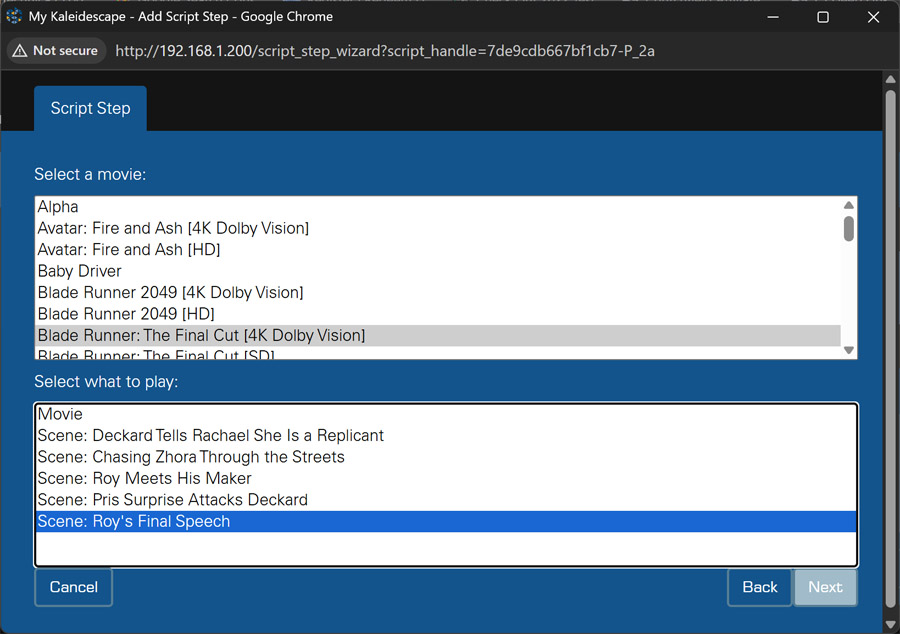
To build a script, you’ll need to go to the browser-based admin menu from Chrome or another browser. Just find the Scripts tab to create a new script or manually add “/scripts” to the end of the URL (e.g., http://my-kaleidescape.local/scripts). Here you can select each movie or TV show and then select a scene to add to your script. After you’ve added all the steps, you can find the script in your regular Kaleidescape player menu, in the “Collections” section. Scroll down to “Scripts,” select your script and enjoy your very own custom movie medley.
Final Thoughts
Kaleidescape may have established itself as a no-compromise media player and movie library for the 1% who could afford it for their mansions and their yachts (Elmer J. Fudd, I’m looking at you), but times are changing. At $12,990, this specific system is still pretty pricey, but with a basic entry-level 4K player with built-in movie storage starting at under $3,000 and an entry level player/server combo starting at $6,990, the Kaleidescape ecosystem is becoming more attainable for those who love movies and want the absolute best way of enjoying them at home.
Pros:
- Picture and sound quality that rivals, or exceeds the best physical media
- Huge selection of titles in the Kaleidescape store
- Convenience of instant downloads
- Disc-to-Digital features offers steep discounts when you upgrade movies you already own on physical media to Kaleidescape versions
- Intuitive user interface
- Simple set-up and instant access to up to 125 4K movies
- Custom scenes and scripts allow you to compile a “greatest hits” of your favorite movie or TV scenes
Cons:
- Relatively expensive (particularly the server)
- No support for 3rd party digital copy platforms like Movies Anywhere
- No remote control included with players ($50 option)
- Outages in the admin interface during system configuration changes can be confusing
Where to buy:
- Kaleidescape Strato E – $2,995 at Audio Advice | Best Buy
- Kaleidescape Mini Terra 8TB – $9,995 at Audio Advice | Best Buy
Related Reading:
- Kaleidescape Strato V Media Player Review – A Movie Lover’s Dream
- Kaleidescape Terra Prime 120TB Movie Server Launches With Massive Storage For High-End Home Theater Systems
- Kaleidescape’s New Strato M Movie Player Does 1080p HD For $2K. Say What?