
Note: Originally published on November 14th, 2025 but updated with some additional testing on additional devices. Also, we finally heard back from a tech contact at Peacock confirming the problem on some platforms. This article has been updated with that response.
The market loves competition. Competition pushes technology – and the user experience – forward. In the early days of streaming, we were lucky to be able to watch movies and TV shows in high definition with Dolby Digital 5.1 surround sound. Today, you can stream your favorite shows and movies in 4K resolution, sometimes in Dolby Vision or HDR10+ dynamic HDR (high dynamic range) and even in fully immersive Dolby Atmos surround sound. Once a competitive differentiator that separated the premium streaming services from the basic services, now 4K resolution with HDR and Dolby Atmos surround is considered “table stakes” and is expected by tech-savvy consumers, particularly those who are paying extra for the “Premium” streaming plans.
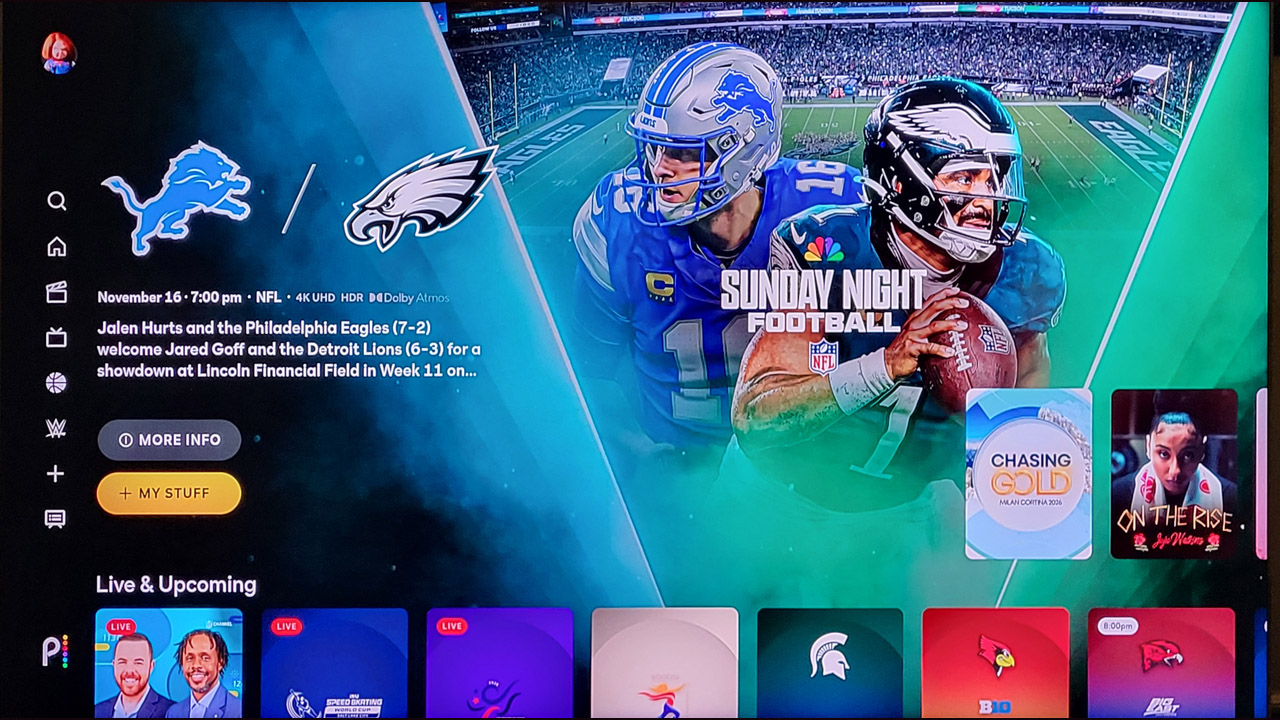
NBCUniversal’s Peacock streaming service may have been a little late to the 4K/Dolby Vision/Dolby Atmos party, but the service does now offer select titles in 4K resolution with Dolby Vision HDR and Dolby Atmos immersive surround sound. The streamer even announced that this year’s Sunday Night Football games would be broadcast in 4K HDR with fully immersive Dolby Atmos surround sound. Hear the crunch of the tackles and the roar of the crowd with dynamic sound coming from all around and even above you. Sounds pretty cool, right? The trick is getting it to work.
Peacock and Dolby Vision/Dolby Atmos: A Mixed Bag
Peacock’s support for 4K/HDR, Dolby Vision and Dolby Atmos content isn’t exactly “universal.” While it does work on some Roku, Amazon and Apple TV streaming boxes, it is not supported on many popular streaming devices and platforms. As a tech review site, we have access to a fair number of different streaming devices, so we decided to give Dolby Atmos a try on Peacock and are here to report back with our results.
For testing purposes, we tested the Peacock app on a selection of different streaming devices on two different 4K Dolby Vision and Dolby Atmos-compatible TVs, a TCL QM8K (2025 model year) which uses the Google TV streaming platform as well as a Panasonic Z85A OLED TV which is built on Amazon’s FireTV platform. For Dolby Atmos sound reproduction, we tested using two Dolby Atmos-capable Denon A/V receivers, as well as a Klipsch Flexus Core 300 soundbar system, all of which support Dolby Atmos surround sound.
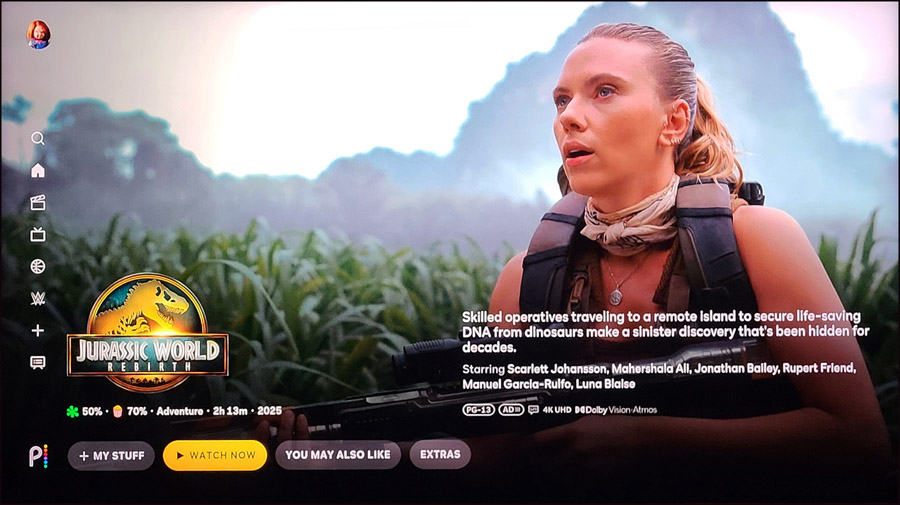
As for content, we used two movies which are currently streaming on Peacock, both of which are described in the service as supporting both Dolby Vision HDR and Dolby Atmos surround. The movies were “The Fall Guy” and “Jurassic World: Rebirth.” We later tested the live Sunday Night Football broadcast to confirm similar results.
Amazon Fire TV
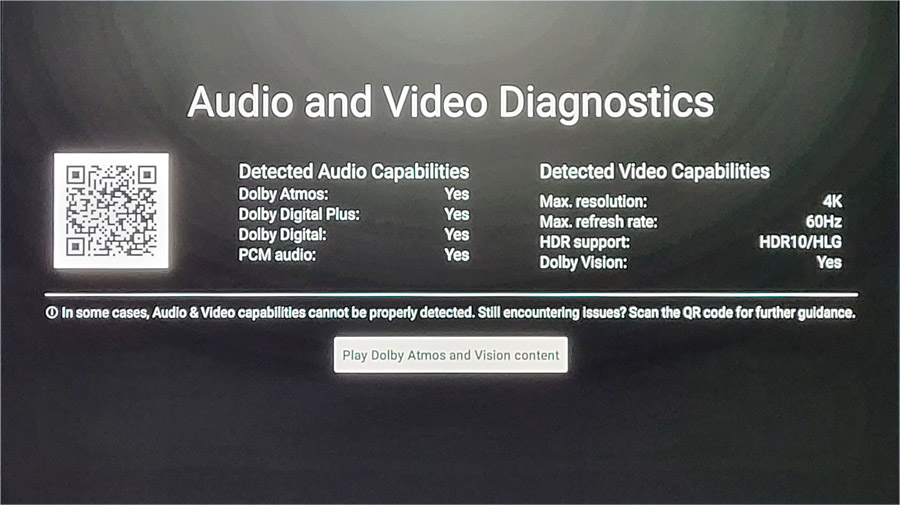
Peacock does have some support for 4K/Dolby Vision and Atmos on Fire TV. We tested a 2023 model Fire TV Stick 4K and were able to get 5.1 channel Dolby Digital sound, but not Dolby Atmos. However, on both a Fire TV 4K Max streaming stick (2024) and a Panasonic Z85A OLED Fire TV (2024), we were able to get 4K resolution, Dolby Vision HDR and Dolby Atmos surround working properly on compatible titles. Interestingly, the Sunday Night Football live broadcast on the Panasonic Fire TV did not produce Dolby Atmos, but standard Dolby Digital 5.1.
Roku
Peacock says on their web site that select Roku streaming devices support Dolby Atmos, including the Roku Ultra. We did not have a Roku Ultra on hand to test, however we tested Dolby Atmos content on the company’s latest Roku Streaming Stick 4K (Model 3830R) and found that Dolby Atmos did not work on the Peacock app on some movie titles, but it did on others. We tested this connected through the TCL TV, using HDMI/eARC to connect to the Klipsch soundbar, but also tested with the Roku stick connected directly to the soundbar and the results were the same: Dolby Atmos on some titles but not all. However, on the live Sunday Night Football broadcast, we did get Dolby Atmos output from the Roku 3830R streaming stick. There wasn’t much coming out of the rear channels, but the soundbar did detect a Dolby Atmos stream from the broadcast.
Apple TV 4K
We had better luck on Apple TV, with the Peacock app running on the most recent Apple TV 4K streaming box. On this hardware, we were able to get 4K/HDR and Dolby Atmos surround working correctly from compatible Peacock content. Testing again on the live Sunday Night Football broadcast also confirmed Dolby Atmos output.

Google TV/Android TV
Support for Dolby Atmos and 4K/HDR content on the Android TV and Google TV platforms seem to be the most problematic for Peacock. While some users report success in being able to stream 4K content from Peacock in both Dolby Vision and Dolby Atmos on some Android TV and Google TV streaming devices, others report no support for either Dolby Atmos, and not even for any sort of 4K streaming video, with or without HDR.
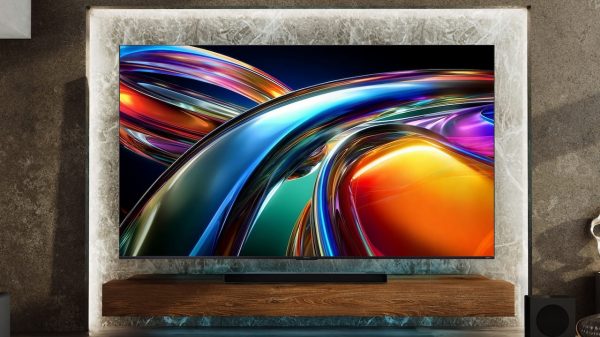
We tested Peacock Dolby Vision/Dolby Atmos streaming on the Google TV version of the Peacock app on a 2025 model year TCL TV, the QM8K MiniLED TV. This is one of the company’s highest performance TVs from 2025 and we have confirmed that it supports both Dolby Vision and Dolby Atmos on most streaming services. Sadly, Peacock is not one of these services.
On the TCL Google TV, we not only did not get Dolby Atmos, we couldn’t even get Dolby Digital 5.1 or any sort of 4K/HDR feed from Peacock. The best we could get was a standard 1080p (HD) feed with stereo 2.0-channel PCM sound. We tested again during the live Sunday Night Football broadcast and confirmed the same results. No surround. No Dolby Atmos.
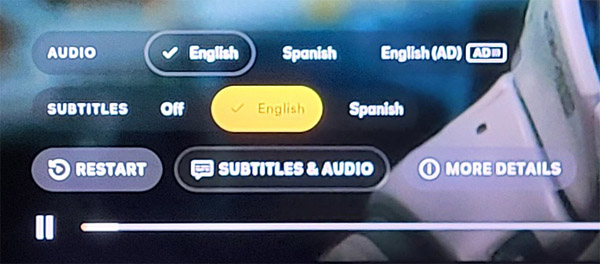
We also tested Dolby Atmos from the Android TV version of the Peacock app on an NVIDIA Shield Pro streaming device. We were successfully able to get a 4K/Dolby Vision feed with Dolby Atmos on the Shield Pro streamer.
I contacted Peacock support via in-app chat and confirmed that I had gone through all of the necessary debugging steps: cleared cache and data from the Peacock app, uninstalled and reinstalled the Peacock app; did a hard reset on the streaming device (streaming stick or TV); re-started my network router, etc. None of these actions resulted in any improvement. And the “escalation” to tier two support led to a less-than-helpful reply from Peacock support:
“We apologize for any inconvenience this may have caused. We have reviewed your case and found that you are looking for the Dolby Vision content. However, we would like to inform you that the content you are referring is not available on Dolby Vision. We do have “JURASSIC WORLD: DOMINION’ content on Dolby Vision. We will take it as feedback and will ensure the proper teams are made aware of this.”
So… I had asked about Dolby Atmos, and specifically listed the content I was trying to view in Dolby Atmos. Peacock’s “customer care” team claimed the content I was watching was not available in Dolby Vision (which is, in fact, not the same thing as Dolby Atmos). And it wasn’t even true. Both titles I was testing are listed as supporting both Dolby Atmos and Dolby Vision in the Peacock app on the affected devices.
Finally after about 2 weeks, I did get a more detailed response from Peacock support. This was their statement:
“For Android TV in general – Peacock has disabled HDR and Dolby Atmos on live events while we investigate performance issues specific to the playback of that content. For VOD, Dolby Vision is currently disabled across Android TV devices, and for the TCL Android TVs under the grouping of QM8K Google TV, 4K HDR is also disabled, which is required for Atmos on Peacock at this time.
For Roku Model 3830R, Atmos is not being offered on Peacock, but we can confirm both Dolby Vision and HDR are supported.
We understand this may be disappointing, and we are actively reviewing these models for potential future compatibility improvements. If any changes are made to restore support for these devices, we will be sure to provide updates promptly.”
So Peacock does acknowledge that Dolby Atmos is not working on some platforms, specifically Android TV and Google TV. Though they state that the Roku Model 3830R streaming stick (Streaming Stick Plus) does not support Dolby Atmos at all on Peacock, while we did get Dolby Atmos to work on Peacock on some titles.
NBC Over the Air (OTA) NextGen TV Broadcast
Peacock is part of the NBC Universal family, so we decided to test the Sunday Night Football broadcast from NBC’s local ATSC 3.0 affiliate station in New York City (WNBC Channel 4-1). We found that the game was broadcast in 1080p High Definition with HDR10 High Dynamic Range and Dolby Atmos sound. The picture had sharp and crispy visuals though there wasn’t a lot going on in the surround or height channels in the Dolby Atmos audio track.
What About the Rest?
As points of reference, we also tested the live football broadcasts of CBS with Paramount+ and Over the Air (OTA) as well as Fox and ABC OTA broadcasts. The CBS OTA broadcast in NYC (NextGen TV Channel 2-1, WCBS) was in 1080p SDR (no HDR) and in 5.1 surround. The Fox local NFL broadcast in NYC was in 720P with stereo sound as the company does not currently have an ATSC 3.0/NextGen TV channel in that market (only ATSC 1.0). Those with a local Fox affiliate broadcasting in ATSC 3.0 may have different/better results. ABC’s broadcast of Monday Night Football on OTA NTSC 3.0 (WABC channel 2-1) was available in 1080p with no HDR but it did come with 5.1-channel surround audio.
As for streaming, CBS-owned Paramount+ streamed live NFL games in 4K SDR (no HDR) and stereo sound on all the platforms we tested, though some say you can get 5.1 surround if you have a Premium Paramount+Showtime subscription plan.
So, while NBC’s offerings may not work on all platforms, they are currently at least as good if not superior to competitive offerings of live NFL game broadcasts on other major networks.
Note: results above were updated to incorporate testing on the Peacock Sunday Night Football live broadcast on November 16. 2025 and Monday Night Football on November 17, 2025 on all platforms as well as testing on NVIDIA Shield Pro.
The Bottom Line
While it’s great to see efforts from networks and streaming services to up their game when it comes to audio and video quality, it can be frustrating for consumers when they try to actually take advantage of these improvements and hit roadblocks, like we did in our testing. For Peacock specifically, I’ve had similar issues in the past, notably when trying to view the Olympics in 4K with Dolby Atmos. In that case, I actually had the best results tuning into the live Over the Air ATSC 3.0 broadcast from my local NBC affiliate. Follow-up testing of the OTA NBC broadcast of Sunday Night Football, the OTA broadcast was available in 1080P but with no HDR and with standard 5.1 surround (no Dolby Atmos).
How about you, eCoustics readers? Are you able to see Sunday Night Football (or really any live sports) in 4K/HDR with Dolby Atmos surround sound? If so (or if not) let us know in the comments, and be sure to note what gear you’re using.
Related Reading:



TonyE
November 15, 2025 at 9:54 pm
I run two Tablos OTA here in SoCal. It’s ATSC 2.0.
BTW- I’m very concerned that with ATSC 3, they will push encryption and charge us for what has been free TV -with commercials- for years. If they do that, it’s bye bye TV for us… honestly, not that we watch CBS/ABC/NBC much anymore.
Now, NBC is taking the NFL to a for pay stream, huh? Just like they took Le Tour De France into a paid channel and then a stream.
So, here’s the deal, when watching sports, who really cares about the commentary and the sound track? Except in Le Tour de France.. so just tune into OTA Univision or Telemundo, turn the volume down and watch the game.
Now, surround… the last two Men’s FIFA World Cups were broadcast in stereo. They had sound artifacts that came from the outside of the TV video field, far to the left and right. Meaning, somehow they had captured the soundstage of the stadium quite well with only 2 channels. I fed that signal into my old Emo and processed it into a pseudo surround “Stadium” and guess what? On a 7.0 system, it worked really well.
And it was free OTA ATSC 2.0. In Mexican Spanish.
Goooooooooooooooooooool! Came out quite good.
So, I know you’re trying to test the Atmos, etc… but maybe just get a plain surround decoder and use it to process the 2ch signal… see if that works.
Oh, our TVs are LG OLEDs, with Rokus and two 4ch Tablos on the home LAN.
Chris Boylan
November 17, 2025 at 4:06 pm
Thanks for your comment. ATSC is only available in 1.0 and 3.0 (they skipped over 2.0). ATSC 1.0 supports up to 1080i HD resolution with Dolby Digital 5.1 sound, which can be quite good if some effort is put into capturing and mixing the audio. Scripted TV shows, Awards show broadcasts like the Oscars and live sports can be quite watchable on TiVo and TABLO ATSC 1.0 boxes on the right A/V system. The systems I tested this on do have Dolby Surround to decode any matrixed surround encoded into the stereo feed, but we weren’t hearing much in the rear channels or height channels (even on the feeds that decoded in Dolby Atmos). So, personally, I think a bit more effort has to be put into the actual audio mix. Of course, this is easy to do on a non-live broadcasts (like scripted TV shows and movies), but I would love to hear live sports in real discrete surround to capture the sound of the venue as well as the on-screen action.
Cary Stegall
November 16, 2025 at 5:51 pm
I tried Peacock last night on Dominion, using the Nvidia Shield Pro connected to a Denon AVR and then Sony Z9D. Atmos was no problem, it came on immediately and I was getting height channels. The TV reported 4K, but I couldn’t tell whether it was SDR or HDR, although HDR looked fine to me.
Ian White
November 16, 2025 at 6:36 pm
Cary,
Good to know that it actually works.
IW
Chris Boylan
November 17, 2025 at 4:32 am
We’ve heard from some NVIDIA Shield owners that Dolby Atmos works, while others have said it doesn’t. Glad it’s working for you. Sadly we don’t have one to test currently. It seems like Google TV is the most problematic platform for Peacock. We confirmed with the live broadcast of SNF on Sunday that Dolby Atmos did not work on a TCL Google TV, but it did work on a Roku, an Apple TV 4K, and a FireTV 4K Max.
Cory
November 21, 2025 at 11:10 pm
Peacock won’t send Dolby 5.1 over optical from my new TCL QM6K Google TV. All I can get is stereo. This is very disappointing.
Chris Boylan
November 22, 2025 at 11:05 pm
Yeah, TCL has confirmed that their Peacock app on the QM8K only does stereo, but the question is whether this is specific to TCL or is something that happens with the Peacock app on all Google TVs. Unfortunately we just sent our Sony BRAVIA 8 II back to Sony so I can’t test it there, but I asked another reviewer friend to test on the Google TVs he has in for review. Will post an update if/when we get more info. Google TV and Android TV make up a huge portion of the streaming market worldwide so it seems like something Peacock should care about.
Karim Fezoua
December 30, 2025 at 11:21 pm
Did you watch the Sunday Night Football Game between the Bears and the 49ers? That red tint of color… Too much…
Brian Mitchell
December 30, 2025 at 11:35 pm
Didn’t notice it last Sunday, but also didn’t watch the whole game. However, we have noticed red tinting on some commercials during SNF before. Curious what model TV you’re using?
JMartin
February 13, 2026 at 10:02 pm
I have a Google Streamer that’s connected to a Denon Atmos AVR and Samsung 4k TV Even though the app says there are live Olympic events available in 4k HDR with Atmos, my receiver is not switching to Atmos. I’m not sure how to tell if it’s native 4k or the Streamer is upscaling it.
Chris Boylan
February 17, 2026 at 6:50 pm
The Google TV platform seems like the most hit-or-miss (mostly miss) for the Peacock app to output 4K video with Dolby Atmos sound, particularly on Olympics or other live sports. On both the TCL QM8K and a Valerion VisionMaster Max projector (both Google TV), the Peacock app can’t seem to do 4K or Dolby Atmos on any of the Olympics broadcasts we’ve tested. The same is true for the NVIDIA Shield (Android TV). Though I will say that the Shield at least is able to output Dolby Atmos and 4K/Dolby Vision on movies and other content on Peacock. So some of these limitations appear to be broadcast/content related.