Table of contents
Who Needs a Video Streamer?
It’s hard to believe Netflix transitioned from its DVD-by-mail business to streaming video on demand all the way back in 2007. Consumers who were sick of paying high monthly fees for cable and satellite TV embraced the convenience and lower cost of streaming and began to “cut the cord,” cancelling their monthly contracts for the affordability and independence of streaming video. Over time, both the selection of streaming providers, and their associated monthly fees, have exploded. So now, most of us are paying more for streaming video subscriptions than we ever did for satellite or cable subscriptions.
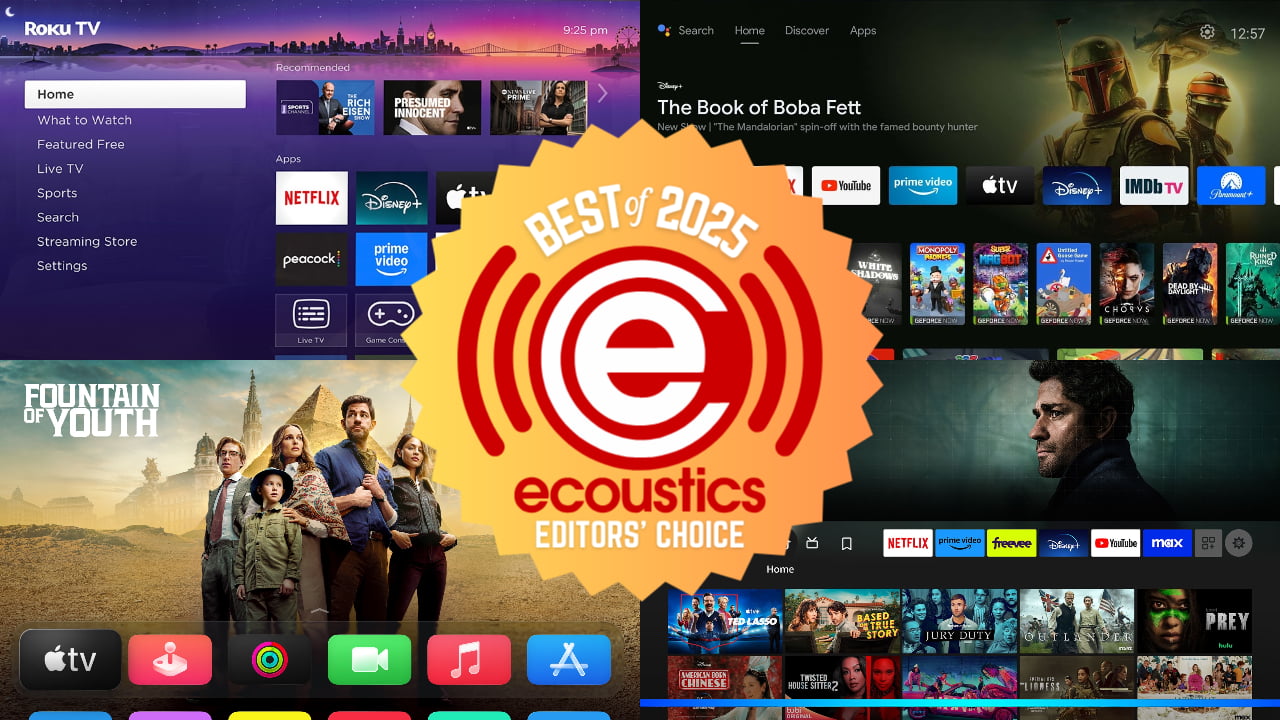
Streaming providers like Netflix have evolved into their own studios, and studios like Disney have evolved by providing their own streaming services. And if you want access to the latest movies and shows from Netflix, Disney+, HBO, AppleTV+ and more, you’re going to need a streaming media player.
While video streaming apps are built into most modern TVs and UST projectors, not all streaming platforms are created equal. Your new TV may have FireTV built in, but you may prefer Roku – or vice versa. And as your TV ages, sometimes the streaming menus get sluggish due to modern features and options putting a bit too much strain on aging, underpowered hardware. Also, most home theater projectors don’t come with any sort of streaming platform built in. So, if you want something to watch on that giant projection screen, you’re gonna need a streamer, a media player, or both.
What About Local TV?
As customers have transitioned away from traditional cable and satellite TV and embraced streaming, many have lost access to the old standard in TV viewing: local channels. Of course, you can sign up for a monthly service like YouTube TV or SlingTV, which provide access to some networks’ live broadcasts over the internet, but these services come with their own (usually high) monthly subscription fees. One device that many cord-cutters love is an OTA (over-the-air) tuner.
If you live in or near a city with local affiliate stations, an OTA tuner can give you free access to local broadcasts from networks like ABC, CBS, NBC, Fox, PBS and more. You can even get devices that record these local broadcasts for playback on demand. That way, you can pause your shows and even skip commercials. Basic OTA tuners are built into many TVs but they’re not typically built into video streaming devices, so you’ll normally need to buy a dedicated tuner. Also, adding DVR and recording functionality or accessing the latest, highest quality broadcasts of ATSC 3.0 (NextGen TV) typically requires purchase of a standalone OTA tuner.
Fortunately for those in need of a streaming upgrade, there are plenty of choices in streaming media players, from simple little “sticks” that plug into the back of your TV to more substantial components with powerful processors that streamline your streaming experience. There are also a number of OTA tuners on the market that that satisfy your craving for things like local news, sports and awards shows. Here are our editors’ picks for both.
The Best Video Streamers & OTA Tuners of 2025
Best Budget Streaming Stick: Roku Streaming Stick Plus
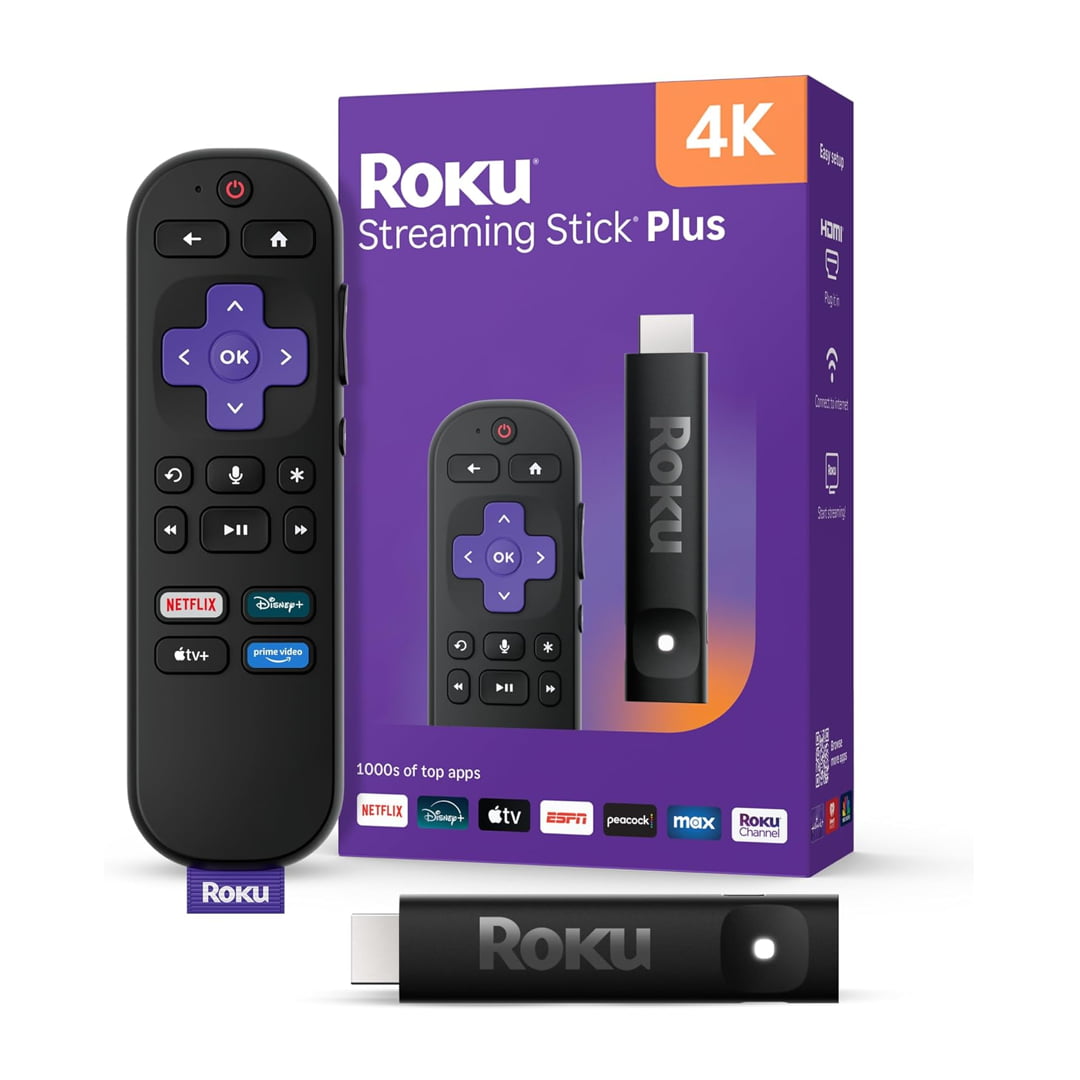
Sometimes simple is best. And Roku’s streaming platform is frequently praised for its simplicity and ease of use. And while the company’s entry-level 4K streamer, the Streaming Stick Plus (Model 3830R) features that straightforward Roku user experience, it’s not short on features or performance. Roku provides access to all of the top streaming services and allows the user to customize the home screen quickly and easily to feature just their favorites.
The Streaming Stick Plus supports full 4K resolution, with HDR10 and HDR10+ high dynamic range. It can also passthrough Dolby Atmos immersive surround sound to a compatible soundbar or external sound system. Its tiny form factor, included RF remote and power-efficient design, allow you to hide the stick behind just about any TV without any visible wires. It doesn’t even require a wall outlet as the unit can be fully powered from the USB port found at the back of most modern TVs (USB cable included).
The Streaming Stick Plus even comes with a voice remote that allows you to search for content using your voice. The remote also allows quick navigation through Roku’s menus with direct one-key shortcuts to Netflix, Disney+, Apple TV+ and Amazon Prime Video.
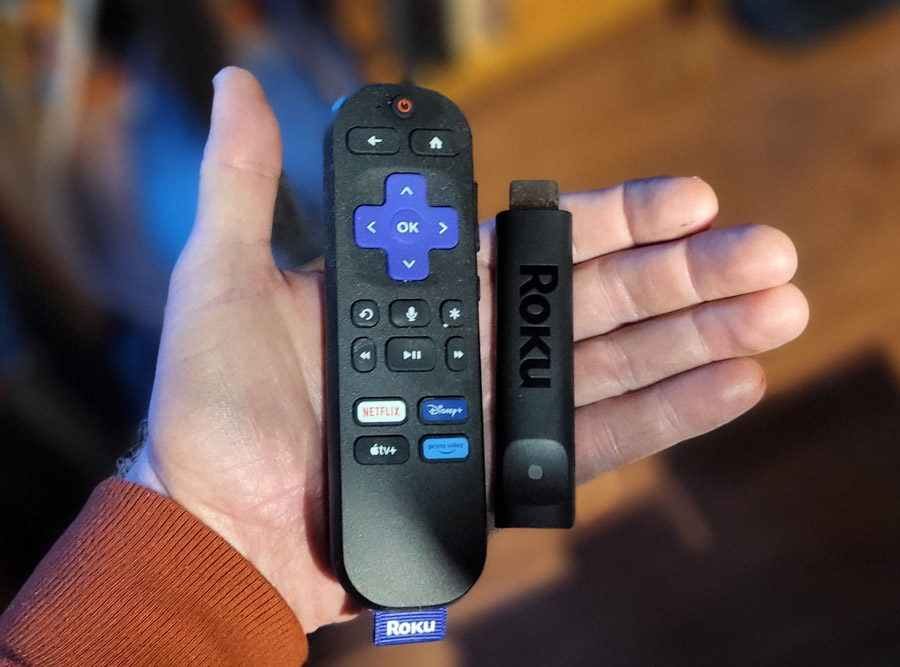
In our weeks of testing the Roku Streaming Stick+, we had very few glitches or complaints. Navigation was smooth and intuitive. And 4K movies and shows with Dolby Atmos surround looked and sounded great, as expected. We would have liked support for Dolby Vision HDR, but this would have raised the price. And we did verify that Dolby Vision’s competitor HDR10+ did work as expected on compatible content. About the only thing lacking for me was support for Dolby Atmos music. Roku’s streaming apps for TIDAL, Apple Music and Amazon Music Unlimited support two channel (stereo) output only. Passthrough of Dolby Atmos immersive surround on Roku is currently limited to select video streaming apps.
The list price of the Roku Streaming Stick Plus 4K is $39.99 but the sale price can be as low as $19.99 during promotions.
For more details, check out my full review of the Roku Streaming Stick Plus.
Pros
- Super compact stick fits just about anywhere
- Can be powered by TV’s USB port
- Supports 4K with HDR10 and HDR10+ high dynamic range
- Supports Dolby Atmos and even DTS-HD Master Audio passthrough
- Affordable
- Simple User Interface
- Relatively platform-agnostic
- Robust mobile app
- Apple AirPlay 2 enables casting from iOS devices
Cons
- No Dolby Vision HDR support
- No DTS:X decoding (but DTS:X content on streaming apps is not common)
- Some minor glitches during initial set-up
- No way to listen to Dolby Atmos music (Roku’s TIDAL, Apple Music and Amazon Music apps do not support Dolby Atmos)
- No Google Cast support
Where to Buy:
Best Upgraded Streaming Stick: Amazon FireTV 4K Max

While basic streaming sticks work well for most people, Amazon’s latest FireTV Stick 4K Max offers a few upgrades that power users will appreciate, namely a more powerful processor, more on-board storage and faster Wi-Fi 6e connectivity compared to FireTV sticks. My main reason for recommending the FireTV Stick 4K Max is its support for both Dolby Vision HDR and HDR10+ dynamic HDR as well as support for Dolby Atmos Music.
Many streaming devices and TVs support Dolby Atmos on video streaming apps, but very few support Dolby Atmos on music streaming apps like Apple Music and Amazon Music Unlimited. The FireTV Stick 4K Max is one of the few that supports this. As someone who listens to a lot of music in immersive Dolby Atmos surround sound, I appreciate having a compact streaming stick that allow me to listen to my playlists in Dolby Atmos through my home theater and living room sound systems.
On the down side, the FireTV platform lacks support for Apple AirPlay or Google Cast, though you can workaround this with apps in the Fire TV app library, to a certain extent. Amazon offers its own casting solution, called Alexa Cast which allows customers to cast videos from the Amazon Prime Video app to the FireTV Stick 4K Max for display on the big screen.
While the FireTV Stick 4K Max lists for $59.99, you can frequently find it on sale for $39.99, only around $15 to $20 more expensive than entry-level 4K streaming sticks.
Pros
- Supports 4K video with HDR10, HDR10+ and Dolby Vision high dynamic range
- Supports Dolby Atmos for video streaming apps
- Supports Dolby Atmos music on Apple Music and Amazon Music apps
- WiFi 6e enables high speed WiFi connectivity
- Alexa Cast enables casting from Amazon Prime Video on mobile devices
Cons
- No DTS:X decoding (but DTS:X content on streaming apps is not common)
- Some find the FireTV platform overly commercial and less user-friendly the competitive streaming platforms
- No native support for AirPlay 2 or Google Cast
Where to Buy:
Best Streaming Media Player for Power Users: NVIDIA Shield Pro
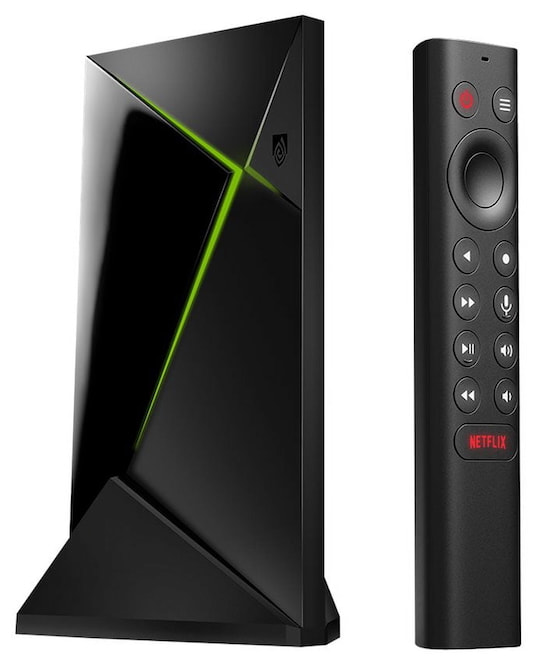
Though the hardware in the NVIDIA Shield Pro hasn’t been updated in several years, and the Android TV platform feels a bit dated, software updates over time have helped keep the SHIELD operating at its best. With a larger form factor than most streaming devices, but still quite compact, the Shield Pro has plenty of room for a powerful processor (NVIDIA’s own Tegra X1+ chip). This processor is put to good use as the Shield Pro is particularly effective at upconverting standard definition and high definition content to UHD 4K resolution. As for 4K HDR, the Shield Pro supports HDR10 and Dolby Vision HDR, but not HDR10+.
The Shield Pro is particularly effective for two things: local networked media playback through apps such as Plex, and cloud gaming via the GeForce NOW service which can stream games in 4K/HDR at up to 60 frames/second. For local/networked media playback, the Shield Pro supports nearly all of the popular audio and video codecs and can passthrough lossless audio streams, including DTS-HD Master Audio, DTS:X, Dolby TrueHD and Dolby Atmos. Those who have built their own media library by ripping their physical media collection onto local hard drives can build their own sort of “poor man’s Kaleidescape” system using apps like Plex and Kodi.
The Shield Pro does not currently support DTS:X Profile 2 (DTS:X For Streaming) as that codec requires local decoding or transcoding, as well as a DTS:X license. But the only major streaming service using this in the U.S. is Disney+ and only on select TVs.
The Shield Pro is built on the Android TV platform, which feels a bit clunky compared to the more modern Google TV alternative. But you do get access to the Android Play Store with all the popular streaming services. This includes support for Netflix, which is unavailable on some Android TV-based devices. Some users replace the default app launcher with other alternatives in order to modernize the look and feel. The Shield Pro also allows direct “side-loading” of apps that may not be listed in the store. Use these apps at your own risk as they have not been vetted for inclusion in the Play Store.
The remote control does offer backlight buttons, which is nice, but it lacks a “Home” button which can make navigation among apps a bit trickier. As a work-around, you can use the Shield mobile app, which does offer a “Home” button.
The list price of the NVIDIA Shield Pro is $199.99 but we’ve seen is as low as $169.99 on sale.
Pros
- Good choice for power users
- Smooth operation
- Excellent upconversion of SD and HD content to 4K
- Very good audio and video codec support and passthrough including Dolby Vision and Dolby Atmos
- Perfect platform for accessing local media library via Plex or Kodi apps
Cons
- Expensive, compared to most video streamers
- No support for DTS:X Profile 2 decoding
- No support for Dolby Atmos in Amazon Music app
- Android TV platform is a bit dated
- In need of a refresh
Where to Buy:
Best Streamer for Apple/iOS Users: Apple TV 4K (128 GB Version)

Apple users who want to stay within their favorite ecosystem have only a couple of good choices in streaming devices, and they’re both the Apple TV 4K. With the current version first released in 2022, and featuring the A15 Bionic processor, the Apple TV 4K is a capable performer when it comes to navigating and playing back audio and video content. The only question is whether you want the one with 64 GB or 128 GB of storage.
The 64 GB version is fine for casual streamers but the extra storage on the 128 GB version will come in handy for gamers or those who download content for offline viewing. They both use the same processor, but the extra storage can improve the operation speed by having more room for caching content. The 128 GB version also comes with a hard-wired gigabit ethernet port (in addition to WiFi) which can improve download speeds and minimize buffering during playback.
Apple users will be familiar with the navigation menus and will appreciate that they can easily link the device to their Apple accounts in order to gain access to purchased content, subscribed services and playlists. But that Apple menu with multiple home screens can be a bit confusing to those who don’t use other Apple devices. And set-up without an existing Apple device or Apple account is more complicated.
We like that the Apple Music and TIDAL apps on the Apple TV 4K support Dolby Atmos, but we don’t like that the first second or two of Dolby Atmos music tracks played back on an Apple TV 4K are muted so you can’t enjoy the whole song. Honestly, after more than three years of user reports of this issue, we’re shocked that Apple hasn’t been able to fix this yet. And yes, I’ve verified this by testing it on multiple Dolby Atmos-capable receivers and soundbars. The issue is definitely with the Apple TV hardware or software, not any connected device.
We also do like that Apple TV supports higher bandwidth audio and video streams than on competitive streaming boxes, particularly with its own native Apple TV+ streaming service. Video streams can be as high as 30 mbps or even slightly higher while other streamers usually max out at around 20 mbps. Dolby Atmos in particular can be streamed at up to 768 kbps, while other streaming devices normally cap the Dolby Atmos stream at 448, 512 or 640 kpbs. The net effect is that movies, TV shows and music played through the Apple TV 4K can be slightly crisper in both picture and sound and display fewer visible and audible compression artifacts than they do on other streaming devices.
In a recent update (tvOS 18.2) Apple added support to the Apple TV 4K for alternate aspect ratios: specifically 21:9 (2.33:1). This allows the Apple TV menus and content to fill a CinemaScope screen, which is nice for those with ultra wide computer monitors or CinemaScope projection screens.
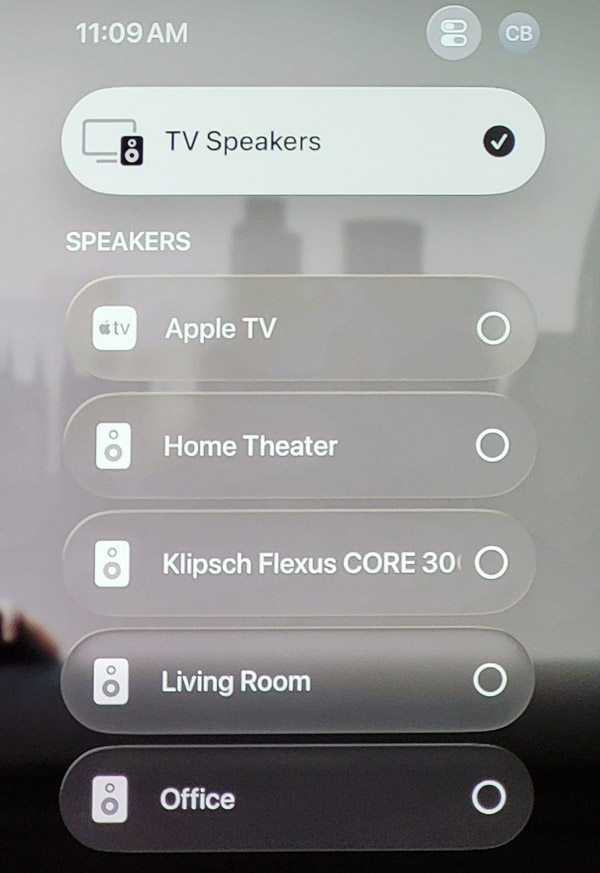
Apple also recently added the ability to set up a pair of their HomePod speakers to play back movies and music in Dolby Atmos surround sound via AirPlay 2 over a wireless connection. This allows you to get vastly improved sound from music, TV shows and movies without the need for a separate soundbar or any physical cables connecting the TV or streamer to the speakers.
The Apple TV 4K was also recently updated to support wireless pairing with third party speakers and soundbars via AirPlay 2. You can even get Dolby Atmos audio via this wireless connection (theoretically), though we have yet to find a third party soundbar which actually works with the Apple TV 4K for Dolby Atmos content. In our testing, the sound output has been degraded to 2-channel PCM sound. In any case, we’d recommend using a hard-wired HDMI connection for the best Dolby Atmos experience from the Apple TV 4K.
Pros
- Intuitive operation for Apple iOS users
- Support for Apple AirPlay 2 to easily stream audio and video content from Apple phones, tablets and computers, even with Dolby Atmos immersive sound
- Supports wireless Dolby Atmos playback from a pair of Apple HomePods
- Supports Dolby Atmos “spatial audio” music via TIDAL and Apple Music apps
- Higher audio and video streaming bandwidth than some competitors
- 21:9 aspect ratio support
Cons
- Set-up and daily operation can be less intuitive to non-Apple users who are used to Roku, FireTV or Google TV
- Lacks support for Dolby Atmos music on Amazon Music app
- While Dolby Atmos from Apple TV 4K to a third party soundbar via AirPlay 2 is theoretically possible, we have yet to find a soundbar that actually supports it.
- Playback glitches occur on Dolby Atmos music tracks
- Relatively expensive
Where to Buy:
Best OTA Tuner: Zapperbox M1 ATSC 3.0 Dual Tuner/DVR

While OTA (over the air) tuners are a bit different from streaming media players, they do serve a similar function: providing access to high quality video content from your TV or projector. Streamers primarily stream content “on-demand” from cloud servers on the internet while OTA tuners typically access live local TV broadcasts via an antenna on or inside your home.
There are two commonly used OTA broadcast formats: ATSC 1.0 and ATSC 3.0 (aka, “NextGen TV”). The older ATSC 1.0 standard is capped at high definition 1080i or 720p resolution and can include PCM 2.0 (stereo) or 5.1-channel Dolby Digital audio. The newer ATSC 3.0 standard can support up to 4K resolution with HDR (high dynamic range) and Dolby Atmos immersive surround sound. ATSC 3.0 is capable of much higher audio and video quality than ATSC 1.0 but it also can include DRM copy protection, which makes it a bit tricky to manage broadcasts and recordings, even within a single home network.
One company that is on the leading edge of making this great free ATSC 3.0 content accessible to viewers is BitRouter, makers of the Zapperbox family of ATSC 3.0 tuners and DVRs. The Zapperbox tuners, DVRs and media players are among the first that can not only view DRM-protected content anywhere in your home, but can actually record and playback that protected content within the home network as well.
We tested the ZapperBox M1 dual tuner ATSC 3.0 tuner/DVR and found that it offered high quality recorded and live video and audio playback of ATSC 3.0 content with a reasonably simple user interface. The M1, as delivered, is a tuner only device with two built-in tuners, but adding DVR functionality is as simple as connecting a USB hard drive or SD card to store the recordings.
In our local market, the highest quality broadcasts we’ve been able to get are in 1080p resolution with HDR and with Dolby Atmos surround sound. These broadcasts are particularly well suited to live sports such as football and the Olympics. The fast motion of live sports is captured and played back nicely in progressive (not interlaced) 1080p with rich colors and nice dynamic range thanks to HDR10 HDR encoding.
ZapperBox does include a basic program guide (24 hours) for free with manual recordings, but to take advantage of whole home DVR functionality and metadata-based scheduled recording, you’ll need to opt for the premium 14-day Zapperbox program guide. The guide currently costs $4.99/month but you can cut that in half with an annual subscription ($29.99/year) or opt for a one time “lifetime” subscription for $240 for a single tuner or dual tuner device.
Since we first reviewed the ZapperBox, the company has delivered multiple new features for free including whole home DVR playback of DRM-protected content. The company has plans to develop a mobile app and a TV app as well as providing access to your recorded content and live broadcasts from outside your home (once this featured has been fully spec’ed out by the NextGen TV/ATSC 3.0 governing body).
Pros
- Free access to local broadcasts
- High quality video and audio up to 4K resolution with HDR and Dolby Atmos immersive surround sound
- Free Basic DVR and 24-hour guide
- Low monthly fee or one-time lifetime fee for enhanced DVR/14-day Guide access
- Can be networked with other ZapperBox units for whole home content sharing
Cons
- Fee required for enhanced DVR features
- Cost of entry slightly higher than some competitive products
- One ZapperBox is still required for each TV, (though less expensive tuner-free players can access content recorded on other ZapperBox DVRs)
- No remote access (out of home) and no app access to live or recorded content (yet)
Where to Buy:
The Bottom Line
Those looking to add video streaming to an older TV or projector have no shortage of options. Whether your budget is tight or more flexible, there are plenty of great choices out there and these are some of our current favorites.
Related Reading: